
Canopy / Canopy Live
Canopy Live
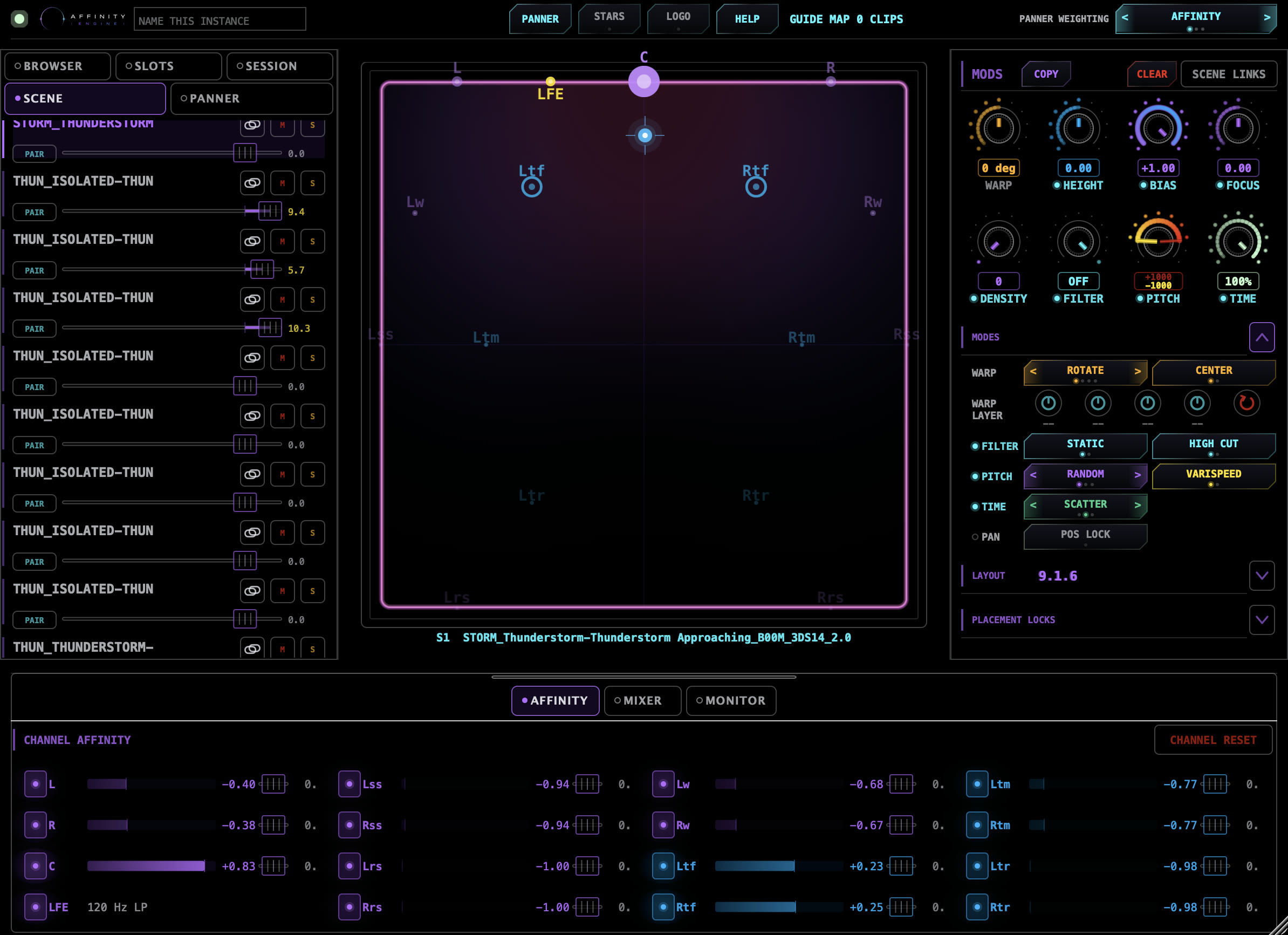
An instrument plug-in that turns your Pro Tools ambience edit into Canopy scenes. Edit Capture reads the whole edit, builds one scene per clip or per gap, and Canopy Live plays them in sync with picture. Built for Pro Tools as an AAX instrument, and also as AU and VST3.
In development. Not on sale.
- Plug-in type
- Instrument plug-in, inserted on an instrument track. Not an insert effect.
- Formats
- AAX (Pro Tools), AU (Audio Units) and VST3
- Platform
- macOS 13 Ventura or later. Apple silicon recommended.
- Channel layouts
- Stereo up to 9.1.6, including 5.1, 7.1, 7.1.4 and 9.1.6
- Scenes from
- Affinity Engine, running on the same Mac
- Pro Tools
- Capture and Edit Capture need Pro Tools 2025.6 or later.
- Developer
- Fourth Watch Labs (PT Naga Film Indonesia), Denpasar, Indonesia
- Status
- In development. Not on sale.
Edit Capture / Pro Tools 2025.6 or later
From the ambience edit to scenes
Cut your ambiences in Pro Tools the way you always do. Edit Capture reads that edit and turns it into Canopy scenes: no audio is copied or bounced, and Canopy reads your clips where they are.
- Mark the scenes. Leave a gap between locations, or lay one named clip per scene on up to four guide tracks.
- Capture the edit. Select the source tracks and capture the whole timeline or a range. Each scene keeps only the clips inside its own range.
- Follow the timeline. Affinity Engine bakes each scene and Canopy Live switches scenes at your cuts, with Equal Power, Linear or S-Curve fades, from the guide clips or from each track.
- Keep editing. Change the edit and resync. Your mixes stay with their scenes.
In the session
Shape each scene against picture
- Place and move. Move sources, turn the room, tighten or widen it while you watch picture. Moves are written as ordinary DAW automation you can trim later.
- Switch scenes on cuts. Each instance holds ten scene slots. Automate the scene slot, or let named guide clips pick the scene.
- Lock sources in position. Keep a source where you put it, or keep it to chosen speakers, while you work on the rest.
- Several instances. Use one instance per bed or layer, each with its own scenes and mix.
Where scenes come from
Built in Studio, served by Affinity Engine
Canopy Live does not build scenes. You build them in Canopy Studio and save them to the Scene Library. Affinity Engine bakes them and serves them to every Canopy Live instance on the Mac. Canopy Live is not a remote control for Studio, and nothing goes over the internet.
Setting up
On an instrument track
Create an instrument track whose output format matches your room, for example 7.1.4 or 9.1.6, and insert Canopy Live as the track's instrument. It is listed under Fourth Watch Labs.
Contact
Talk to us
Canopy Live is in development and not on sale. For questions about the plug-in, write to [email protected].